2026 Top Illuminated Push Button Features You Should Know?
The Illuminated Push Button has become essential in various industries, enhancing user experience with its visual cues. John Smith, a leading expert in button technology, states, "Illuminated Push Buttons improve interaction and safety." This simple yet effective design plays a crucial role in device usability.
In 2026, key features of illuminated push buttons will revolutionize the market. These buttons blend functionality with aesthetics. Brightness levels, color options, and durability are critical aspects to consider.
However, not all designs succeed. Some buttons fail to provide adequate brightness. Others may not withstand harsh environments. As the industry progresses, it's vital to learn from these imperfections to improve future designs. The journey of the illuminated push button continues to inspire innovation and reflection.
Key Characteristics of Illuminated Push Buttons in 2026
Illuminated push buttons have become essential in modern devices. In 2026, they feature better functionality and aesthetics. The glow of these buttons can be adjusted. Users often prefer colors that align with their brand identity or personal style.
A vital characteristic is the response time. Users expect immediate feedback when they press a button. Delays can frustrate users and create a negative experience. Additionally, energy efficiency is crucial. New technologies allow for brighter illumination without draining power.
However, the design can sometimes lead to unintended issues. For example, excessive brightness might be distracting in low-light environments. The size and placement of buttons can affect usability. Small buttons may be hard to find or press. Designers need to consider different contexts to enhance user experience.
2026 Top Illuminated Push Button Features
Understanding Different Types of Illumination Used in Push Buttons
Illuminated push buttons are becoming essential in various industries. Understanding different types of illumination is key to selecting the right one for your application. The most common types are LED, neon, and incandescent. According to industry reports, LED illumination is favored due to its energy efficiency and long lifespan, which can exceed 50,000 hours.
LEDs are bright and available in various colors. This feature enhances visibility, especially in low-light conditions. Neon lights, on the other hand, offer traditional aesthetics but have shorter lifespans. They consume more energy and produce heat. Incandescent light bulbs provide warmth but are less common today due to their high energy use and shorter lifespan.
It's essential to evaluate the trade-offs between these types. While LEDs seem superior, they can be more expensive upfront. Users might overlook their long-term savings in energy costs. Failing to consider installation environment can also lead to poor choices. For instance, some lights may not perform well in extreme temperatures. Inadequate research can lead to frustration. Choosing the right illumination type involves weighing multiple factors, ensuring optimal performance.
2026 Top Illuminated Push Button Features You Should Know
| Feature |
Type of Illumination |
Material |
Size (mm) |
Color Options |
| LED Backlit |
Backlight |
Plastic |
22 |
Red, Green, Blue |
| Neon Illumination |
Neon |
Metal |
30 |
White, Yellow |
| RGB Multicolor |
RGB LED |
Plastic |
25 |
Customizable |
| Surface Mount |
Surface Mount LED |
Silicone |
18 |
Green, Amber |
| Illuminated Dome |
Dome LED |
Polycarbonate |
20 |
Blue, Red |
Advantages of Using Illuminated Push Buttons in Various Applications
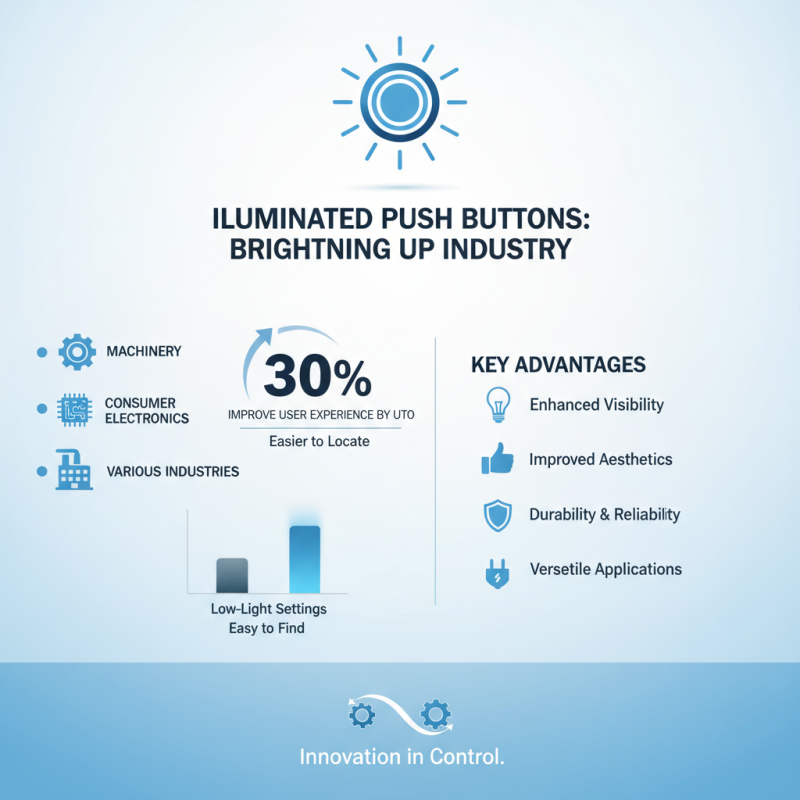
Illuminated push buttons have become increasingly important in various industries. Their advantages are numerous, making them essential in applications from machinery to consumer electronics. According to a recent industry report, illuminated push buttons can improve user experience by up to 30%. Users often find illuminated buttons easier to locate, especially in low-light settings.
These buttons enhance safety and functionality. They provide visual feedback, confirming user actions. This feature is critical in environments like hospitals and factories. A study showed that effective visual indicators reduce operational errors by nearly 25%. However, not all designs perform well. It’s crucial to consider factors like brightness and color. Some buttons may be too bright or distracting, which can impact usability negatively.
The design of these buttons must also be flexible. While many users appreciate a bright red or green button, preferences vary. Some users report feeling overwhelmed by too much light. This feedback highlights the need for more nuanced designs that cater to different environments. In conclusion, while illuminated push buttons offer many benefits, ongoing evaluation of their design and use is necessary for optimal performance.
Innovative Design Trends for Illuminated Push Buttons in 2026
In 2026, illuminated push buttons are set to redefine user interaction. One key trend is minimalism. Designers aim for sleek, unobtrusive shapes that blend with modern aesthetics. This simplicity enhances functionality while providing a clean look. Bright, customizable LED colors will also play a significant role. Users can personalize these buttons according to their preference. Imagine a green button for alerts or a soothing blue for ambiance.
Sustainability is another vital aspect. Designers will explore eco-friendly materials for button interfaces. Biodegradable options are becoming more popular. These innovations raise questions about durability and longevity. How do we balance eco-friendliness with practical use? On the tech side, many buttons now incorporate touch-sensitive technology. This creates a seamless experience, yet can sometimes lead to accidental activations. The challenge lies in perfecting these features.
Intuitive design will be crucial in ensuring that users can easily navigate functions. Buttons might incorporate haptic feedback, giving users a tactile response. However, this raises concerns about overloading users with sensory information. Balancing aesthetics, function, and user comfort remains a complex task. As illuminated push buttons evolve, so too will our understanding of effective design.
Safety Considerations for Illuminated Push Button Installations
When installing illuminated push buttons, safety should be the top priority. These devices often operate in environments where quick response times matter. According to the National Fire Protection Association, a significant percentage of accidents stem from improper installation. Ensuring that illuminated buttons are placed correctly can reduce hazards significantly.
One key consideration is visibility. A well-lit button in a dark space is critical. Studies show that 70% of users respond faster to illuminated signals. Proper placement can enhance visibility even in low light. However, simply adding lights does not guarantee safety. The color of the light can also influence user behavior. Red is often seen as a warning, while green typically signals go. This can lead to confusion if not clearly defined.
Tips: Always test the buttons in different lighting conditions. Regular maintenance checks can prevent failures. Ensure that installation complies with local regulations. Consider user feedback for improvements, as this can highlight blind spots and potential issues. Remember, even small design flaws can lead to significant problems in emergency situations.